Data Partition with Scikit-Learn
Overview
Teaching: 20 min
Exercises: 0 minQuestions
What is Data Partition
Objectives
Learn how to split data using sklearn
Data partition: training and testing
-
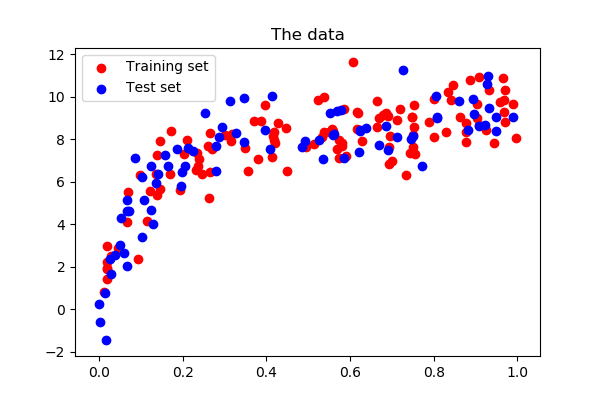
In Machine Learning, it is mandatory to have training and testing set. Some time a verification set is also recommended. Here are some functions for spliting training/testing set in
sklearn: train_test_split: create series of test/training partitionsKfoldsplits the data into k groupsStratifiedKFoldsplits the data into k groups based on a grouping factor.RepeatKfold,ShuffleSplit,LeaveOneOut,LeavePOut
Due to time constraint, we only focus on train_test_split and KFolds
3.1 Scikit-Learn data
The sklearn.datasets package embeds some small sample datasets or toy datasets
In this workshop, we gonna use some toy datasets but in real life, we can import any csv or table dataset:
For each toy dataset, there are 4 varibles:
- **data**: numpy array of predictors/X
- **target**: numpy array of predictant/target/y
- **feature_names**: names of all predictors in X
- **target_names**: names of all predictand in y
For example, we gonna load the California housing dataset:
from sklearn.datasets import fetch_california_housing
data = fetch_california_housing()
print(data.data)
print(data.target)
print(data.feature_names)
print(data.target_names)
Now we can assign the variables for input and output data:
X = data.data
y = data.target
3.2 Data spliting using train_test_split: Single fold
Here we use train_test_split to randomly split 60% data for training and the rest for testing:

from sklearn.model_selection import train_test_split
X_train, X_test, y_train, y_test = train_test_split(X,y,train_size=0.6,random_state=123)
#random_state: int, similar to R set_seed function
3.3 Data spliting using K-fold
- This is the Cross-validation approach.
- This is a resampling process used to evaluate ML model on limited data sample.
- The general procedure:
- Shuffle data randomly
- Split the data into k groups
For each group:
- Split into training & testing set
- Fit a model on each group’s training & testing set
- Retain the evaluation score and summarize the skill of model

from sklearn.model_selection import KFold
kf10 = KFold(n_splits=10,shuffle=True,random_state=20)
for train_index, test_index in kf10.split(data.target):
    X_train = X[train_index]
    y_train = y[train_index]
    X_test = X[test_index]
    y_test = y[test_index]

    model.fit(X_train, y_train) #Training the model, not running now
    y_pred = model.predict(X_test)
    print(f"Accuracy for the fold no. {i} on the test set: {accuracy_score(y_test, y_pred)}")
Key Points
sklearn, data partition