Please follow this guideline to create a new conda environment and install scikit-learn package.
Open any terminal:
- MobaXTerm for Windows OS
- Terminal for MacOS & Linux platform
- M2 Shell Access in Open OnDemand (https://hpc.smu.edu/pun/sys/dashboard/)
Below is the setup using M2 Shell Access:
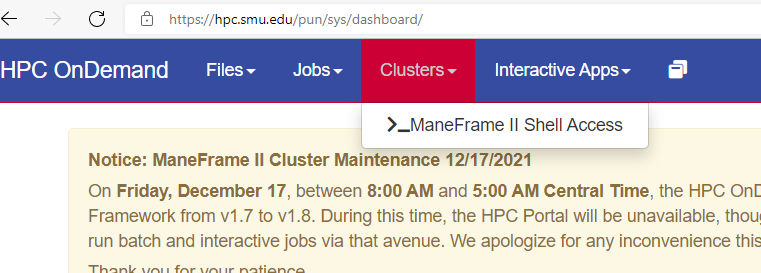
First, login to Open OnDemand and open Shell Access
Request a compute node and load python library
$ srun -p htc --mem=6G --pty $SHELL
$ module load python/3
Create a conda environment named MyPEnv with python version 3.6
$ conda create -y -n MyPEnv python=3.7
Activate the conda environment and install matplotlib and any other needed packages.
[tuev@b136 ~]$ source activate myPenv
(myPenv) [tuev@b136 ~]$ conda install numpy pandas scikit-learn seaborn matplotlib -y
You can also create your own Jupyter Hub kernel:
(myPenv) [tuev@b136 ~]$ conda install jupyter
(myPenv) [tuev@b136 ~]$ python -m ipykernel install --user --name myPenv --display-name "My 1st conda env"
=> Note: while using myPenv conda environment, if we are missing anything, we can always come back and update using pip install or conda install method.
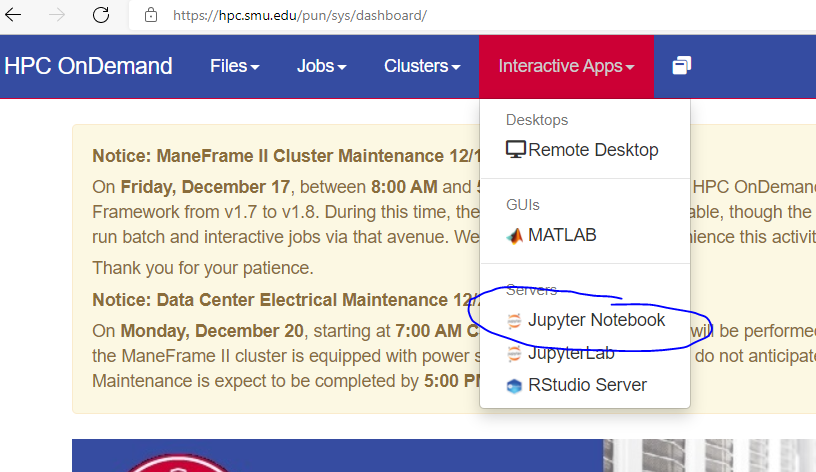
- Back to Open OnDemand, request for Jupyter Notebook instance:
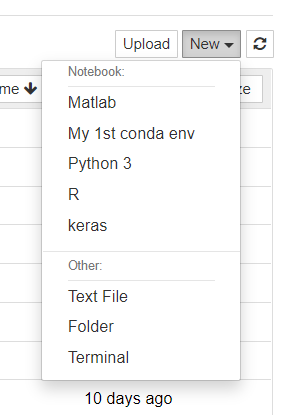
You will see the new kernel created: