Downloading requested jobs from NEAR using API
Overview
Teaching: 5 min min
Exercises: 0 minQuestions
How to automatically download jobs from NEAR website using API?
Objectives
3. Using API and job array to download jobs from NEAR website using M2
Once you submitted the GIS file and request for job download, you can have several options to download these jobs:
Manually Download the submitted jobs:
Using OnDemand web portal (Remote Desktop) and open Firefox, Go to near.com website and signin using Nicos’s username & password then to retrieve the submitted jobs:
https://vista.um.co/users/sign_in
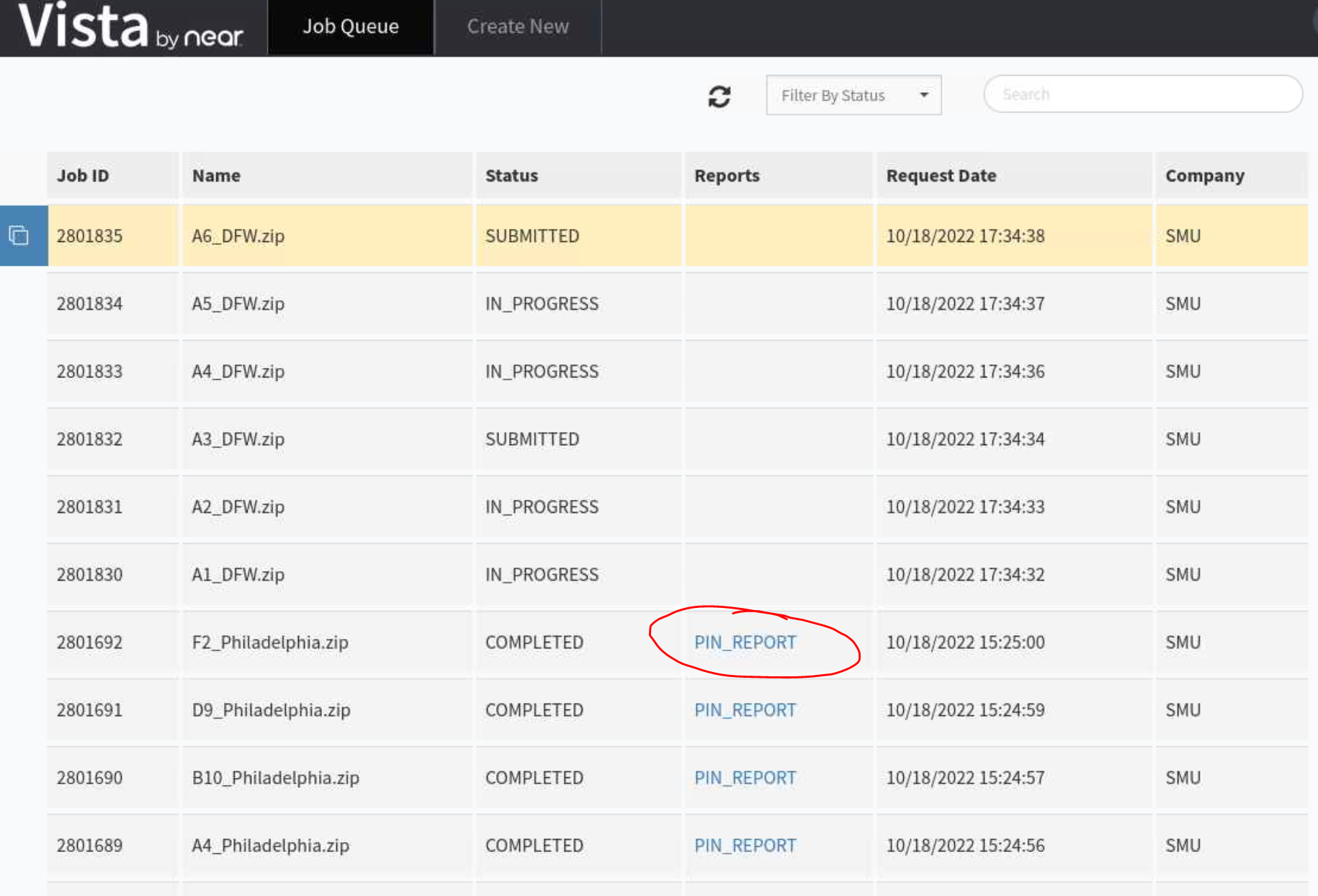
Check if your job has spawned the report or not to download to M2 directory:
Automatically download the submitted jobs:
When you have few hundreds to few thousands for jobs to be downloaded, it is encourage to use API to download the data.
Fortunately, there is an option to use API from NEAR to download these jobs automatically.
What do you need?
- After submitting jobs, please wait for about 1h to make sure you see your jobs submitted and status changed to “COMPLETED” and “PIN REPORT” appears for every job. That ensures all your jobs are ready to be downloaded
- Record the start and end jobID, for example, I have 3096351/3096650 for starting/ending jobID. That made: 3096650-3096351+1=300 (equivalent to the number of GIS files that I uploaded).
- Next, prepare the python file with API information to automatically download the data. Content of python file can be found here:
import requests
import json
from sys import argv

script, rin  = argv
jid = int(rin)

print(jid)
url = ["https://uberretailapi.uberads.com/v1/uberretailapi/getJobStatus?jobId="+str(jid)][0]
print(url)
payload={'jobId': str(jid)}
files=[]
headers = {
  'Authorization': 'Bearer *********'
}
response = requests.request("GET", url, headers=headers, data=payload, files=files)
link = json.loads(response.text)['pipReportResults']['reportUrl']
output =[json.loads(response.text)['reportName'][:-4]+'.tsv.gz'][0]


open(output, "wb").write(requests.get(link).content)
- Finally, we create the bash script jobs.sh to automate the download in batch. Here is the sample content of our bash script using SLURM scheduler: Note, the only change you need to modify here is the rin, which is the starting jobID. The number of array is just the total number of GIS files submitted and that only need to be changed for different cities.
#!/bin/bash
#SBATCH -J download       # job name to display in squeue
#SBATCH --array=1-301
#SBATCH -p dtn      # requested partition
#SBATCH -c 1 --mem=5G
#SBATCH -t 1000              # maximum runtime in minutes
#SBATCH --exclusive
#SBATCH --mail-user tuev@smu.edu
#SBATCH --mail-type=end

rin=3096351
argi=$((rin+$SLURM_ARRAY_TASK_ID))
module load python/3
python download_near_api.py $argi
- Submit the bash script to start downloading data in parallel:
sbatch jobs.sh
- If you want to download only 1 file with known jobID (for example: 3096580), you can just simply run the python command:
python download_near_api.py 3096580
Key Points
Python, API, download