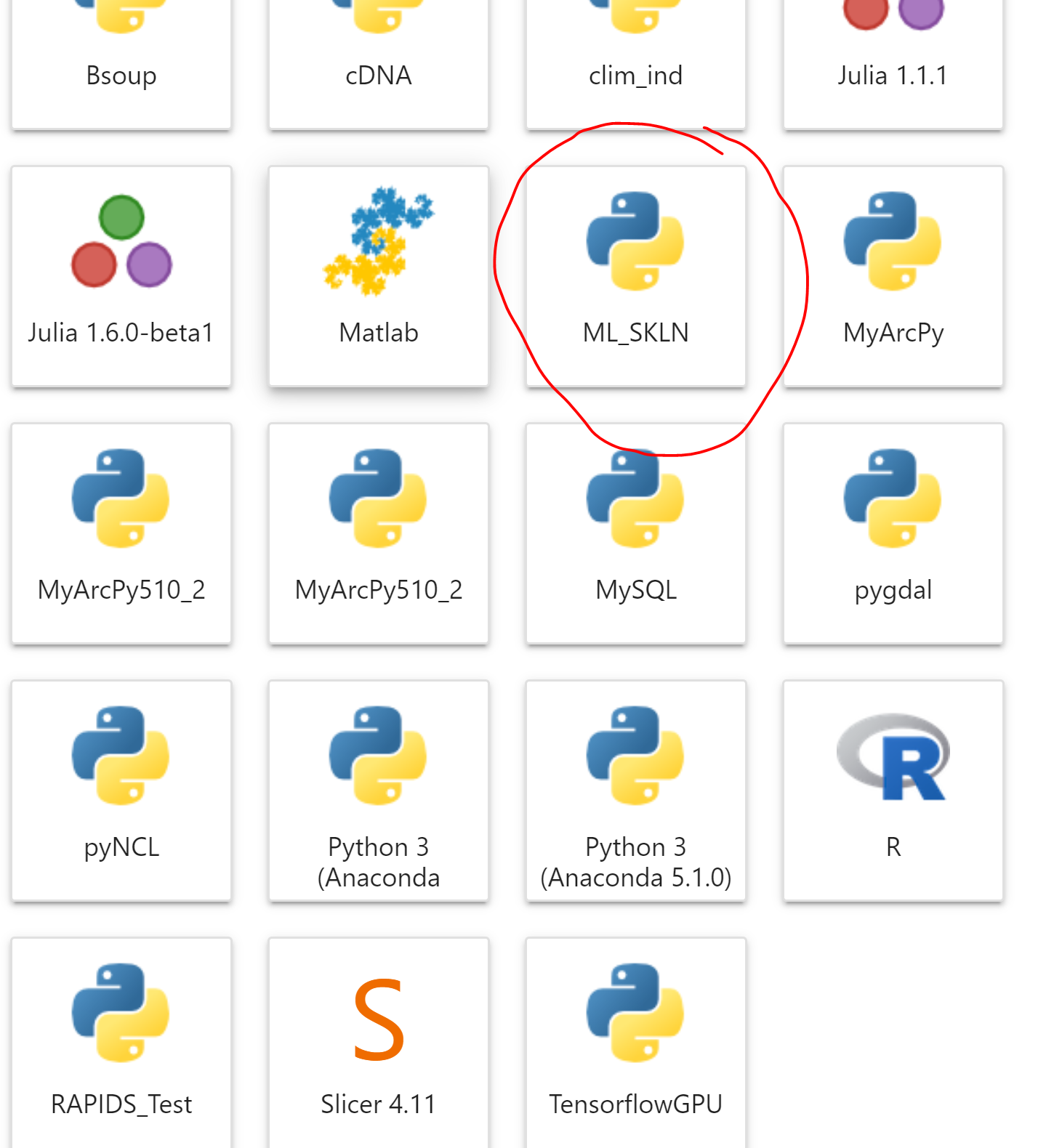
We will use Palmetto cluster for this workshop with Jupyter Lab.
Please follow this guideline to create a new conda environment and install scikit-learn package.
- Open any terminal
- MobaXTerm for Windows OS
- Terminal for MacOS & Linux platform
- Terminal in JupyterHub platform (https://www.palmetto.clemson.edu/jhub)
- Palmetto Shell Access in Open OnDemand (https://openod02.palmetto.clemson.edu/)
Below is the setup using Jupyter Hub:
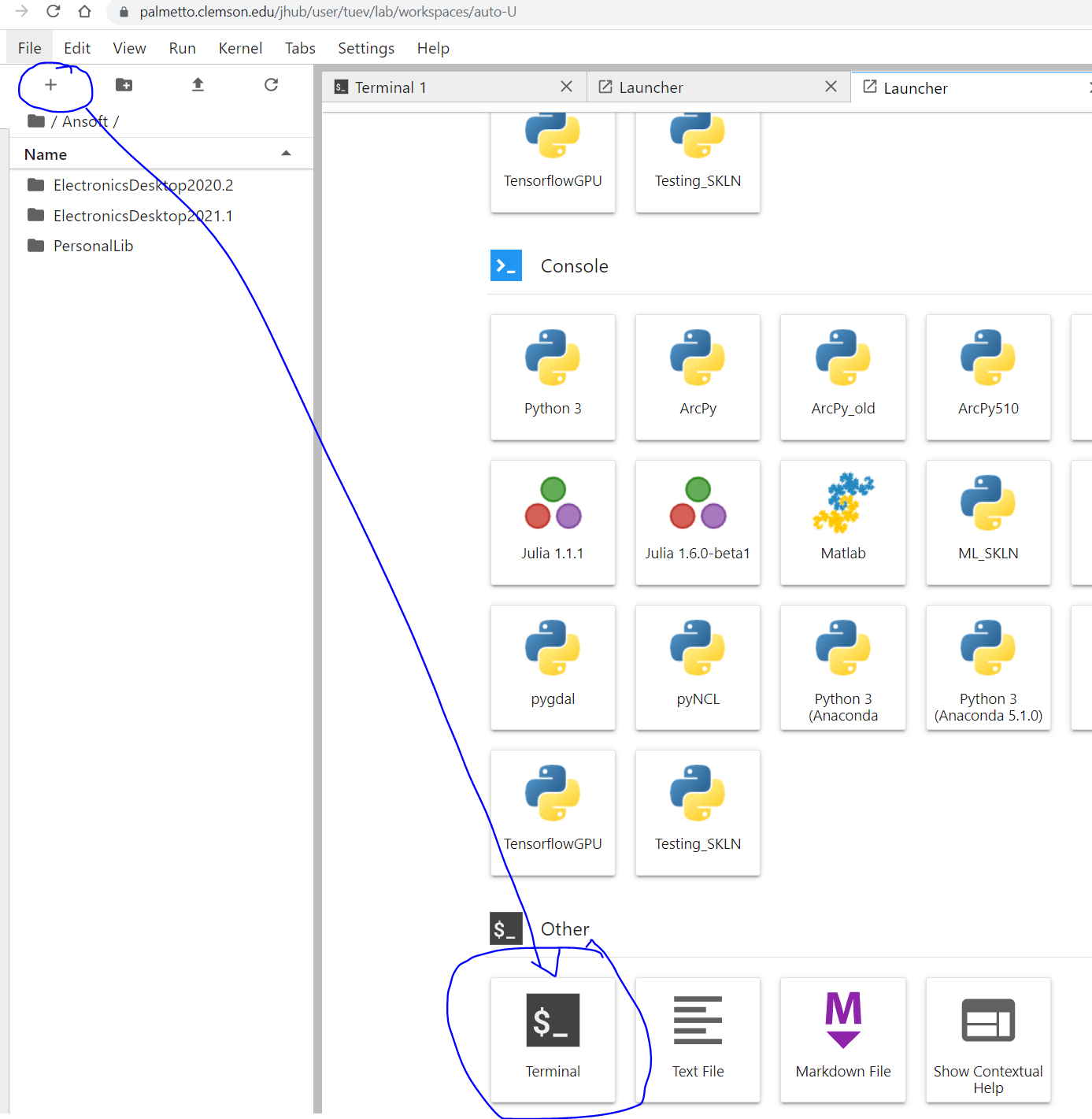
- Login to Palmetto login node: your_username@login001
- Request for a compute node with simple configuration: (Note: for JupyterHub platform above, you do not need to request for a compute node)
$ qsub -I -l select=1:ncpus=8:mem=32gb:interconnect=any,walltime=24:00:00
Next:
JupyterHub platform, start from here:
- Load module
- Create conda environment:
- Once done, activate the environment and install numpy, pandas, scikit-learn, matplotlib, seaborn
$ module load anaconda3/2020.07-gcc/8.3.1
$ conda create -n skln python=3.8 -y
$ source activate skln
$ conda install numpy pandas scikit-learn seaborn matplotlib -y
=> Note: while using skln conda environment, if we are missing anything, we can always come back and update using pip install or conda install method.
- Last step: create Jupyter Hub kernel in order to work with Jupyter Notebook
$ conda install jupyter -y
$ python -m ipykernel install --user --name skln --display-name "ML_SKLN"
- Open Jupyter Lab in Palmetto, login and see if you have ML_SKLN kernel created https://www.palmetto.clemson.edu/jhub/hub/home